

Imagine landing in a foreign country, ready to use a cheap local SIM card, only to find your device is “Network Locked.” It’s a frustrating barrier that limits your freedom and decreases your phone’s resale value. Learning how to unlock T Mobile phone is the key to using any carrier you want, whether you are switching to a budget MVNO or traveling the globe.
In this guide, we will walk through the updated 2026 policies, the technical steps for every major brand, and how to bypass the most common technical glitches.
Unlock T Mobile Phone Requirements Are You Eligible?
Before you can legally remove the network lock, you must understand the rules of the game. T-Mobile has specific criteria for different types of accounts, which can be found on their Official SIM Unlock Policy Page.
Postpaid Account Requirements The 40 Day Rule
For those on a standard monthly plan, your device must have been active on the T Mobile network for at least 40 days. Additionally, the device must be associated with an account in good standing. If you have overdue bills, the automated system will likely reject your request.
Prepaid Account Requirements The 1 Year or $100 Rule
Prepaid users face a steeper climb. Generally, the device must have been active for 365 days. However, there is a “fast track” if you have provided more than $100 in refills to the account since activation and the device has been active for at least 14 days, you can request an unlock early.
Financial and Safety Checks IMEI Payments
The most important factor is the Equipment Installment Program EIP. Your phone must be paid in full. If you are still receiving “bill credits” for a promotion, paying off the phone might cancel those credits, so check your latest statement. Finally, the IMEI number must not be flagged as lost, stolen, or involved in fraud.
How to Check Your T Mobile Unlock Status Instantly
Don’t spend an hour on hold with customer service if your phone is already free. You can check your status in seconds through digital portals.
Using the T Life App
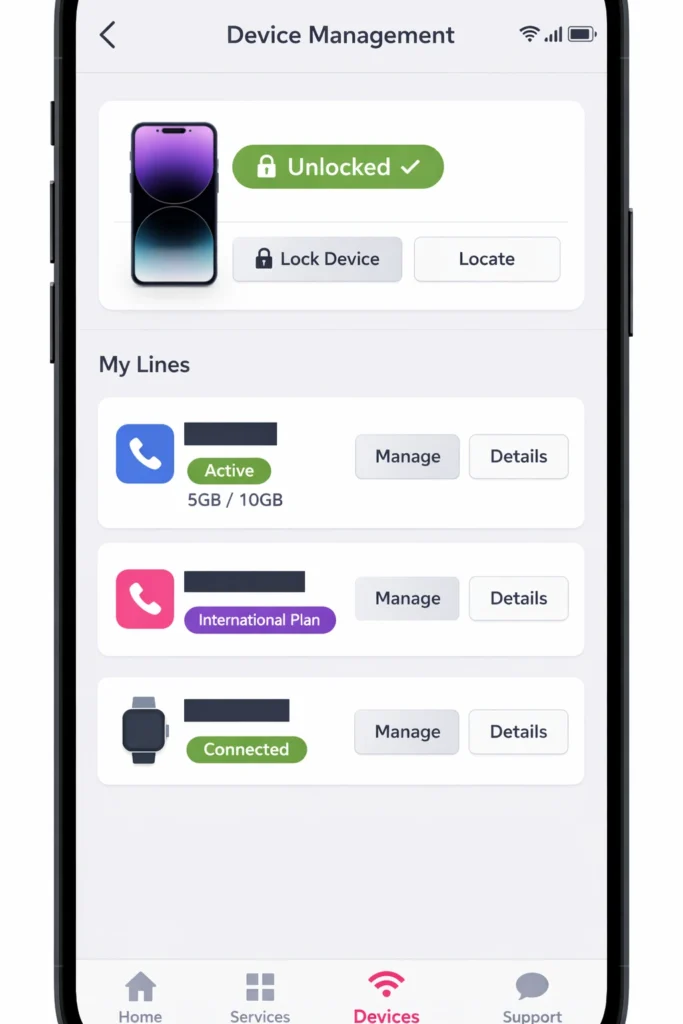
In 2026, the primary gateway for T Mobile customers is the T Life app formerly the T Mobile app.
- Log in and navigate to the Manage tab.
- Select your specific line and device.
- Look for Device Lock Status. If it says “Unlocked,” you are good to go.
Checking via My T Mobile Web Portal
If you don’t have the app, log in to your account at T Mobile.com. Navigate to Account, select your line, and click on Device Details. The network lock status is listed under the “Hardware” section.
Step by Step Instructions Unlocking Your Android Device
Most modern Android phones support a remote unlock feature built directly into the settings menu. You no longer need a physical “Unlock App” for newer models.
Samsung Galaxy The More Connection Settings Path
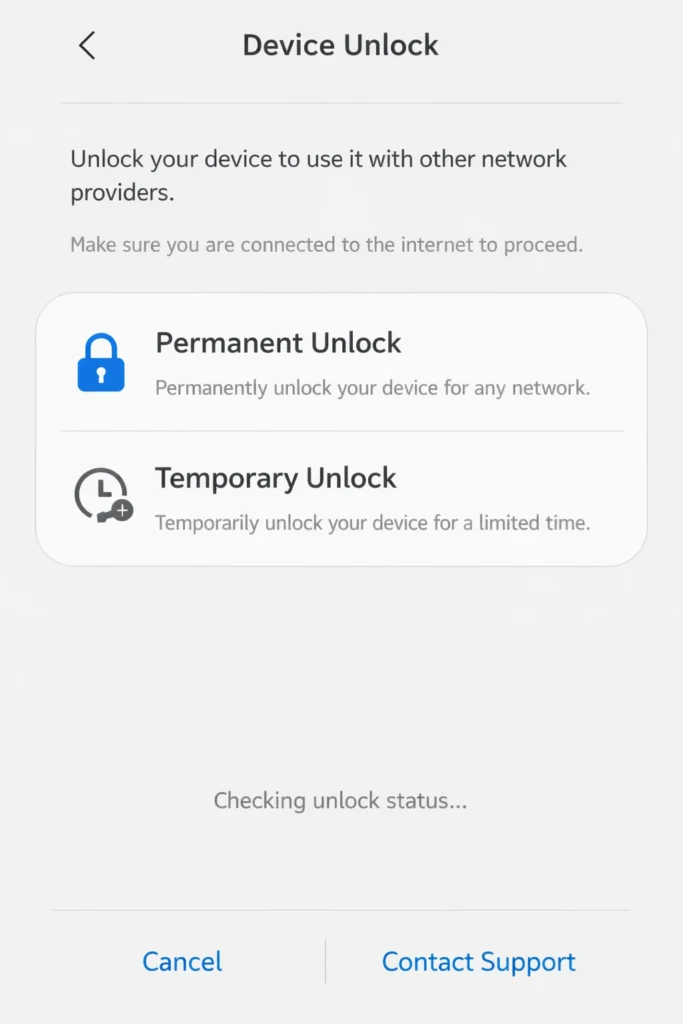
- Open Settings and tap Connections.
- Tap More Connection Settings.
- Select Network Unlock.
- Choose Permanent Unlock. The device will communicate with T Mobile’s servers and prompt a restart.
Google Pixel Using the Device Unlock App
Google Pixels often require a specific system level handshake.
- Go to Settings > Network & Internet.
- Tap on SIMs and select T Mobile.
- Scroll to the bottom and look for Device Unlock.
- Tap Check Eligibility and then Permanent Unlock.
Motorola and OnePlus Settings Hierarchy
For these brands, the path is usually Settings > About Phone > Device Unlock. If the option is greyed out, it means the device has not yet communicated with the T Mobile server to verify your 40 day usage requirement.
How to Unlock an Apple iPhone on T Mobile
Unlocking an iPhone is a different beast because Apple manages the activation policy, not the carrier. T Mobile doesn’t give you a code they send a signal to Apple’s servers.
Why iPhones Don’t Use an Unlock App
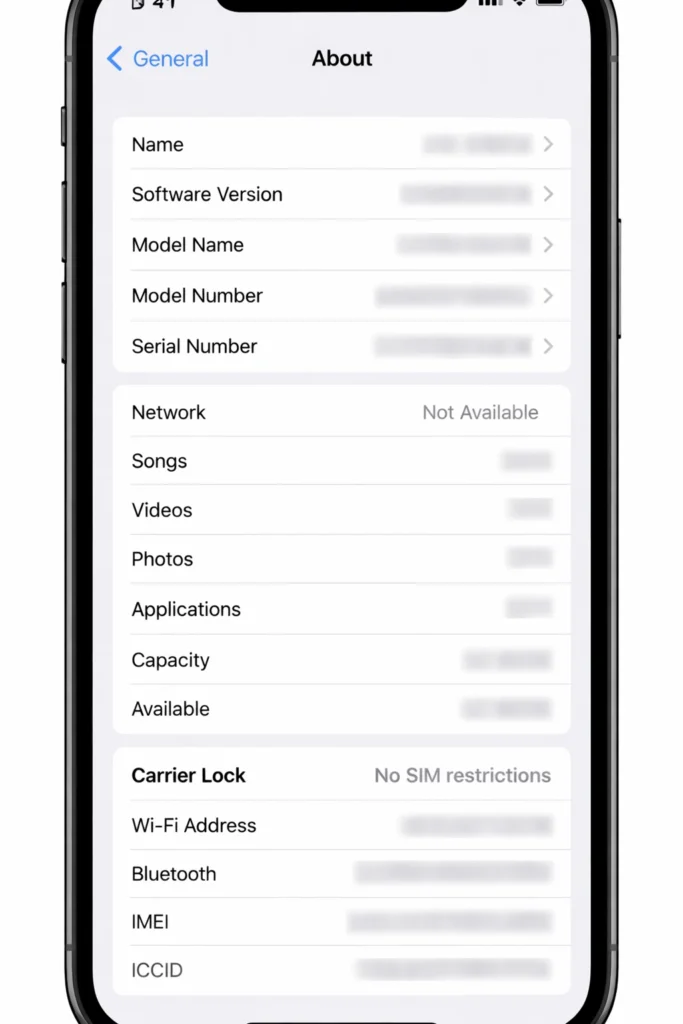
Apple’s security architecture prevents third party apps from modifying network locks. To unlock a T Mobile phone made by Apple, you must meet the eligibility requirements first. Once met, T Mobile automatically submits the request to Apple within two business days.
Finalizing the Unlock with a New SIM or eSIM The Final Handshake
Once you receive that “Unlock Approved” notification from T-Mobile, your phone isn’t automatically open to other networks until you complete the Activation Handshake. This is the process where the phone downloads its new “unrestricted” policy from the manufacturer’s servers.
The Physical SIM Swap Method
If you have a physical SIM card from a new carrier (e.g., AT&T, Verizon, or an international local SIM):
- Power Down: Completely turn off your device.
- The Tray: Use a SIM ejector tool (or a paperclip) to pop the tray.
- Swap: Remove the T-Mobile SIM and insert the new carrier’s card.
- Reboot: Power the device back on.
- Activation Screen: * On Android: You may see a message saying “Changing carrier… restarting.” This is normal as the phone downloads new APN settings.
- On iPhone: You will be prompted to log in with your Apple ID. This “checks” your IMEI against Apple’s database and clears the carrier lock.
The Modern eSIM Finalization 2026 Standards
Most 2026 devices are eSIM primary. You don’t need a physical card to finish the unlock.
- For iPhone: Go to Settings > Cellular > Add eSIM. Even if you don’t have a new plan yet, simply attempting to add a secondary eSIM will force the phone to refresh its “Carrier Lock” status.
- For Android: Go to Settings > Connections > SIM Manager. Tap Add eSIM. The device will ping the network and, if unlocked, will allow you to scan a QR code from any global provider.
Post Unlock Configuring APN Settings
Often, the phone is unlocked, but data doesn’t work. This is because the “Access Point Name” (APN) is still set to T Mobile.
- Manual Entry: Go to Settings > Network & Internet > Mobile Network > Access Point Names.
- The Fix: Search for your new carrier’s “2026 APN Settings” and manually enter the Name, APN, and MMSC. Save and restart.
Unlocking for Dual SIM Functionality
One of the most popular reasons to unlock a T Mobile phone is to use two lines at once (Dual SIM Dual Standby).
- The Scenario: You want to keep your T-Mobile number for calls but use a cheap $10/month data-only eSIM for your internet.
- The Requirement: Your phone must be fully unlocked for the second SIM slot to accept a non-T-Mobile plan.
- Performance Tip: In your settings, ensure you designate one SIM as the “Primary Data” line and the other as the “Primary Voice” line to avoid massive roaming charges on your main account.
The Hidden Manual Override Codes
For legacy Android devices or those not responding to the T Life app, you can sometimes force a network refresh using the dialer:
- *Dial #06#: To verify your IMEI and EID (required for support).
- Dial ##72786#: (Sprint/T-Mobile legacy) This resets the cellular provisioning without deleting your photos.
- Dial ##4636##: This opens a hidden testing menu where you can view “Set Preferred Network Type.” Changing this can sometimes kickstart a stuck unlock process.
Summary of the Unlocking Journey
| Step | Action | Timeframe |
| 1. Eligibility | Check 40-day/Financial status | 5 Minutes |
| 2. Request | Use T-Life App or dial 611 | 2 Minutes |
| 3. Processing | Wait for Server Update | Instant to 48 Hours |
| 4. Handshake | Insert new SIM or Add eSIM | 5 Minutes |
| 5. Verification | Check “No SIM Restrictions” | 1 Minute |
Special Cases Military Personnel and International Travel
T Mobile provides exceptions for specific circumstances, acknowledging that life happens outside the standard 40 day window.
Expedited Military Unlocks
If you are a member of the armed forces with deployment orders, T Mobile will unlock your device even if it isn’t paid off. You will need to provide digital copies of your deployment papers through the T Mobile support portal.
Using the 30 Day Temporary Unlock Feature
Android users can often request a “Temporary Unlock.” This is perfect for a short vacation. It unlocks the SIM slot for 30 days, after which the phone automatically re-locks to T-Mobile. Note This feature is generally not available on iPhones.
Troubleshooting Common Errors and How to Fix Them
Sometimes the process hits a snag. If you see “Server Not Responding” or “Error 999” it usually means the system is overloaded or your device’s cache is corrupted.
- The Cache Fix: Go to Settings > Apps > Network Unlock. Clear the data and cache, then restart your phone and try again.
- The WiFi Rule: Always ensure you are on a stable WiFi connection. The unlock process cannot always complete over a mobile data connection.
- Second Hand Phones: If you bought the phone used and it’s locked, TMobile will usually not unlock it for you unless you are the original owner. In this case, you must contact the seller.
Conclusion
Unlocking your device is the ultimate way to take control of your technology. By following the steps on how to unlock a T Mobile phone, you ensure that your hardware works for you—not the other way around. Whether you are seeking a better data plan or preparing for an international adventure, a carrier free phone is your best asset.
Ready to switch? Check your eligibility in the T Life app today and experience true mobile freedom.
FAQ Section
Q: How long does the T Mobile unlock process take?
For Android, it’s usually instant once you hit the button. For iPhones, it can take up to 48 hours for Apple’s servers to update.
Q: Can I unlock my phone if I still owe money on it?
Generally, no. The device must be paid in full unless you are active military with deployment orders.
Q: Does T Mobile charge a fee for unlocking?
No, T Mobile provides this service for free to all eligible customers.